Optimize what you've typed
Type in the chat as usual, click Grab from chat, then Optimize. The clearer, shorter version goes straight back into the message box for you to send.
PromptSaver for Chrome is a side panel that sits next to your AI chat. It rewrites the prompt you're typing so it gets a better answer with fewer tokens, and drops your saved prompts into the chat with the blanks filled in.
Free with a PromptSaver account. Works in Chrome on Windows, Mac, Linux and ChromeOS. Open it with Alt + Shift + P.
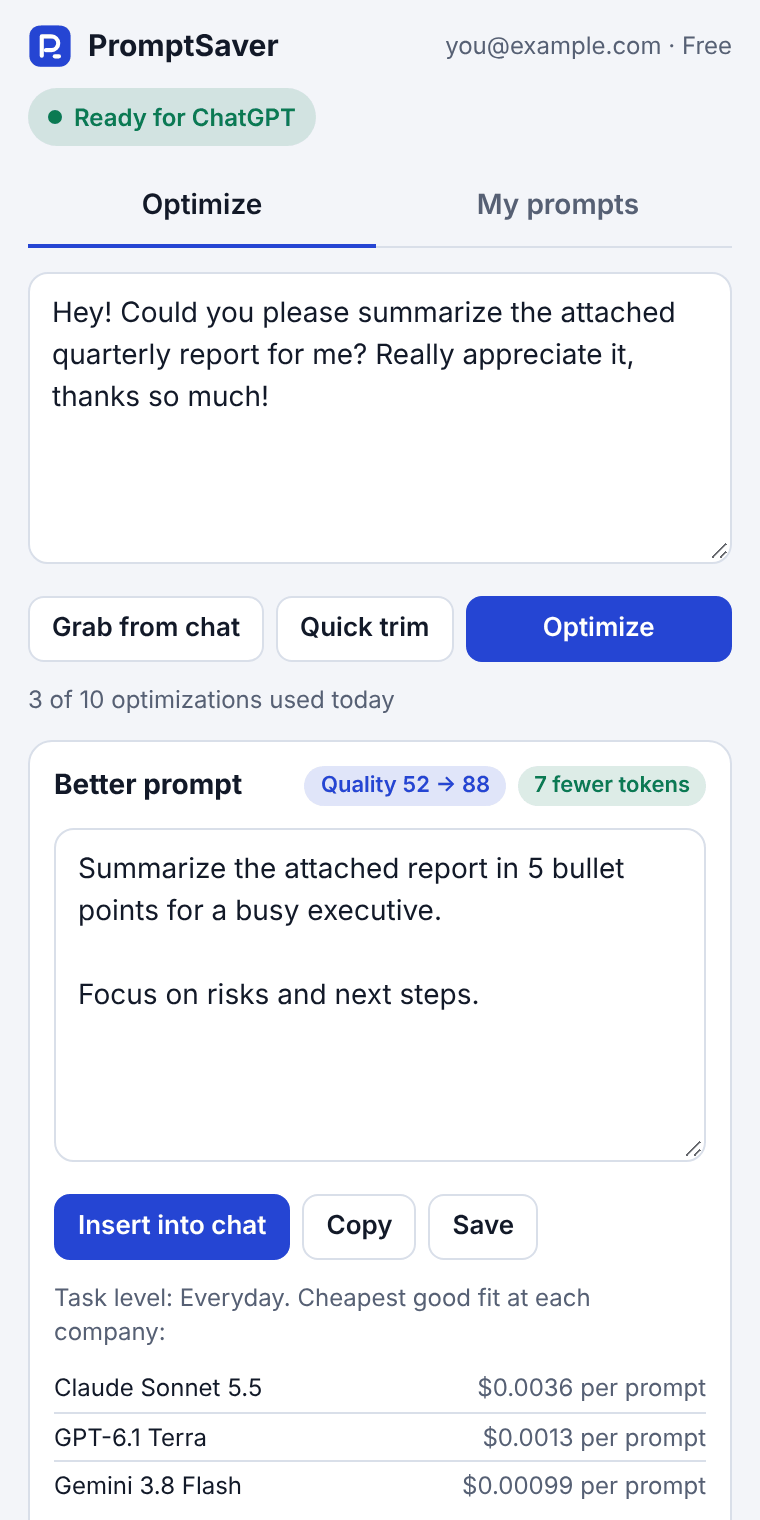
Type in the chat as usual, click Grab from chat, then Optimize. The clearer, shorter version goes straight back into the message box for you to send.
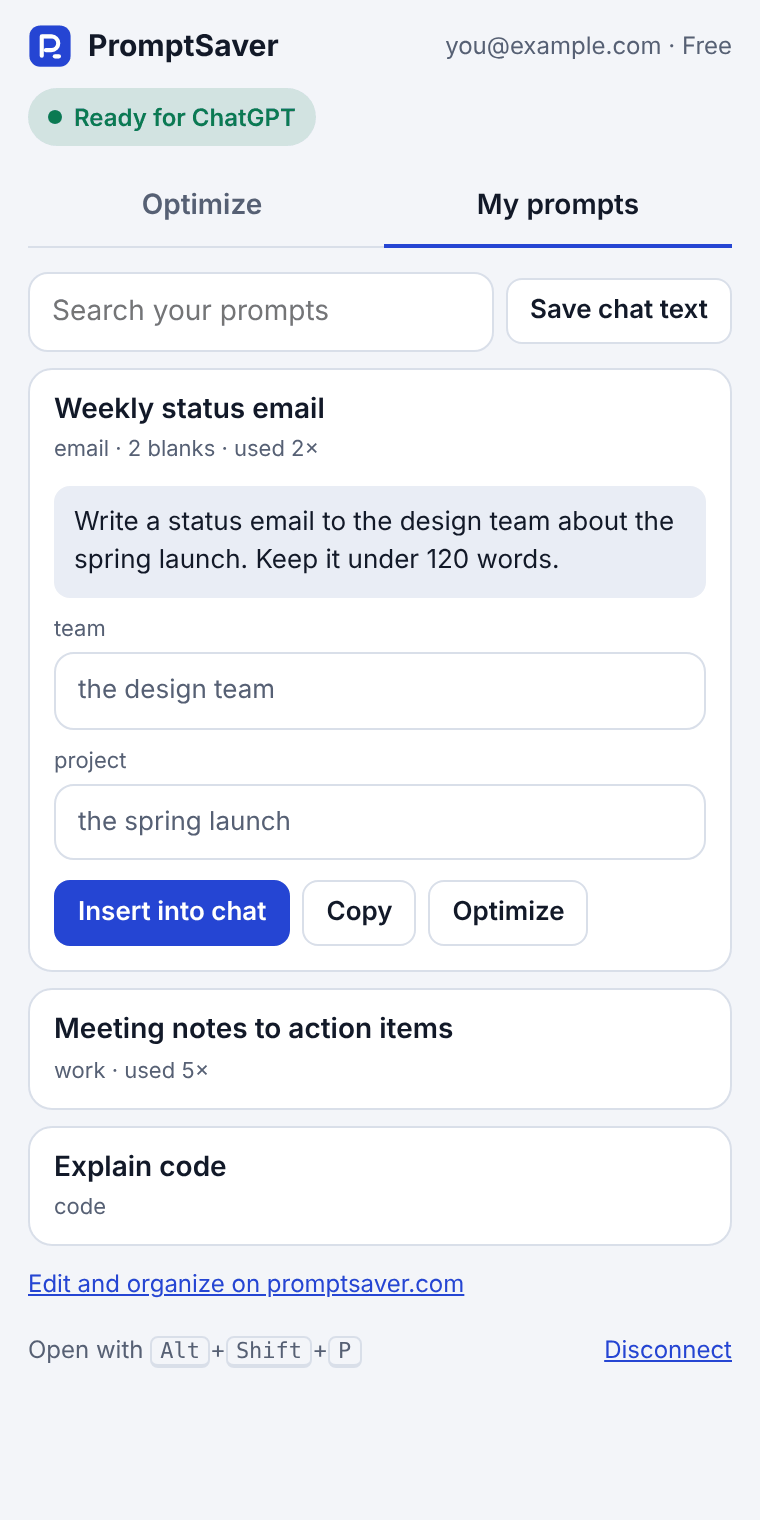
Search My prompts from the panel, fill in the [blanks], and insert it into the chat. No more digging through notes or old conversations.
Save a rewrite, or whatever is in the message box right now. It lands in the same My prompts list you use on promptsaver.com.
Every rewrite shows the quality score, the tokens saved, and the cheapest good model at Anthropic, OpenAI and Google for that task.
The details are in our privacy policy.
Yes. With a free account you get 10 optimizations a day and up to 25 saved prompts, the same as on the website. Quick trim is free and unlimited. Pro raises the limits to 100 optimizations a day and 1,000 saved prompts, and adds deep optimize.
No. It only puts text in the message box. Nothing is sent until you press Send yourself.
Google Chrome, version 116 or newer, on Windows, Mac, Linux and ChromeOS. It uses Chrome's side panel, so it isn't available on phones.
To put text into the message box on ChatGPT, Claude and Gemini, it needs permission to run on those three sites. It also talks to promptsaver.com to optimize and save your prompts. That's all it can reach.
Click the PromptSaver icon in Chrome's toolbar (pin it from the puzzle-piece menu), or press Alt+Shift+P. The panel stays open beside the chat as you work.
Click Disconnect at the bottom of the panel, or disconnect every browser at once from your account page. Your saved prompts stay in your account.
Prefer the website? The prompt optimizer and My prompts work in any browser, including on your phone.